Focus Stacking

Something a little different to a landscape for today. Just outside my front door there’s this rather pretty vine, commonly known as a bleeding heart vine. The flowers are not huge, so I needed to get quite close to get an image in which you’d be able to see the pretty red flower. Problem when you get close is that it’s difficult to keep all the flower in focus.

You may have heard of HDR (High Dynamic Range) photography where a number of images are taken of a scene and then blended in a manner to avoid deep shadows and blown out highlights. Focus stacking is a similar concept, but instead of a range of exposures being blended, a range of focus points are blended.

The image below is made up of ten images, each focussed at a slightly different point on the bloom. In this instance the task was automated using an app on my phone called Helicon Remote. This is very easy to use. You just select the two ends of the focus range and it then controls the camera … modifying focus and taking the photos. Next, you’ll need something like Photoshop to stack the images together. Here’s a YouTube clip that might help explain how to do this.

So, here’s the photo. As I said at the start … something a little different to a landscape;-)

Bleeding heart vine - (10 image stack)
Bleeding heart vine – (10 image stack)

Time for tablets

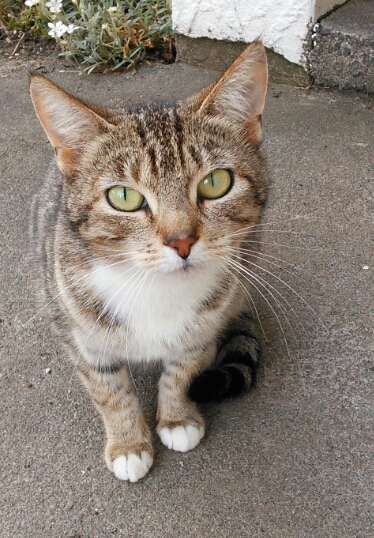
The stray cat returns!

I must admit that when shooting a number of the houses in my local area I often find it challenging to see what the camera sees in small rooms. Often the camera is on a tripod in the corner of a room with no room for me to get behind and look through the viewfinder or see the display. The problem of composing the shot gets worse when you put the camera a few metres up a pole! One idea was to have an external monitor so I could see what was going on. Using a USB connection along with Helicon Remote allows me to view the scene and focus the camera whilst looking at my tablet. So much easier in those awkward places! I can’t zoom, but I can compose, focus and take a bracketed set of shots.

I didn’t want a BIG tablet. I have enough to carry about and as I’ve already mentioned I can end up in small places! I opted for the little Nexus 7 as it has quite a nice screen, is small and quite lightweight. As it happens I can use it for Skype and the rear facing camera isn’t too bad as you can see from the two shots in this post. It’s 5MP and I find the handling of the device for photographs more awkward than using my dSLRs. As such, the next set of photos posted here will almost certainly not be from the Nexus!

The first shot in the post is of the stray cat that has returned to the compost heap to deposit yet another litter of kittens. I wish we could catch this cat or compost heap kittens is going to be an annual event! The second image in the post is of some aquilegia I planted at the bottom of may garden last year.

Backyard aquilegia
Backyard aqualegia